Designing
creation with AI.
Product design · UI/UX · Development / Product in progress
Independent AI product
Product design · UI/UX · implementation
In progress · interfaces are not final
Digital product design · Conversation experience · Creative applications · Development
Explore Yiantsi AIYiantsi AI connects building a brand to a simple starting point: one sentence. A logo, photos, film, shop and content come together in a shared workspace, with conversation at its centre.
The design challenge.
Turn a complex platform into a clear journey. People describe their idea, apps work from the same brand identity, and publishing actions wait for their approval.
From a brand kit
to an editable design.
A small, concrete task: create a square Yiantsi post, leave the editor and find it again with its elements intact. Seeing a canvas alone would not be enough.
A controlled check on 15 Oct 2026 in the creator’s account, with AI assistance in execution and documentation. This is not user research or a client campaign. The post was made with Design’s controls, without new AI generation, credit use or publishing.
Start with the brand.
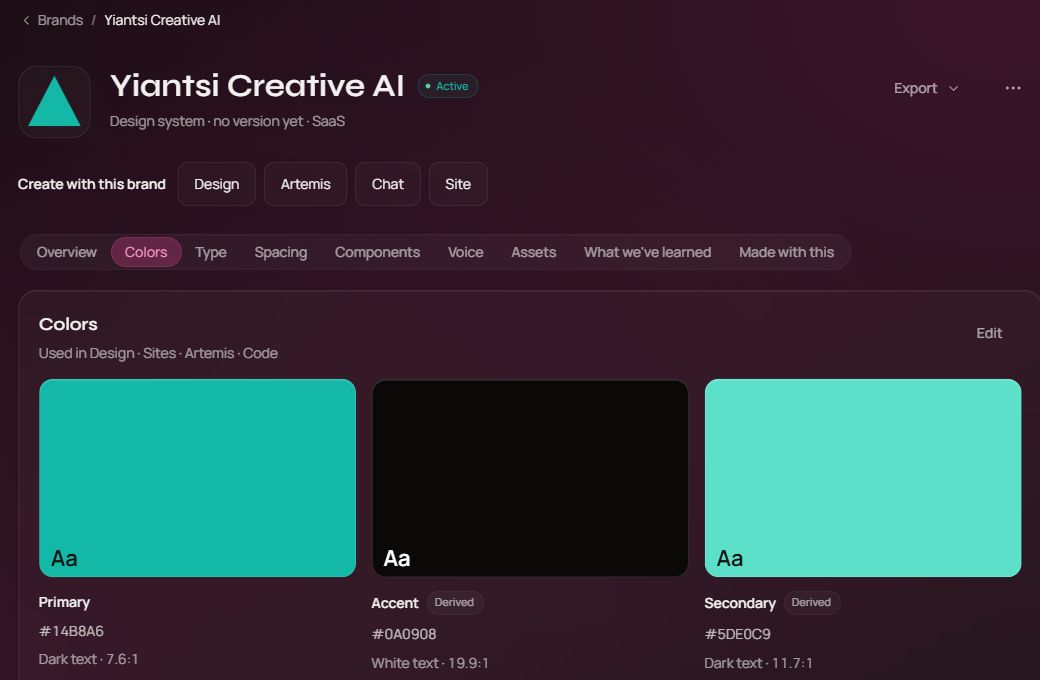
I opened the Yiantsi Creative AI kit and followed its link into Design. The decision is to carry identity into the next tool rather than ask people to supply it again in each app.
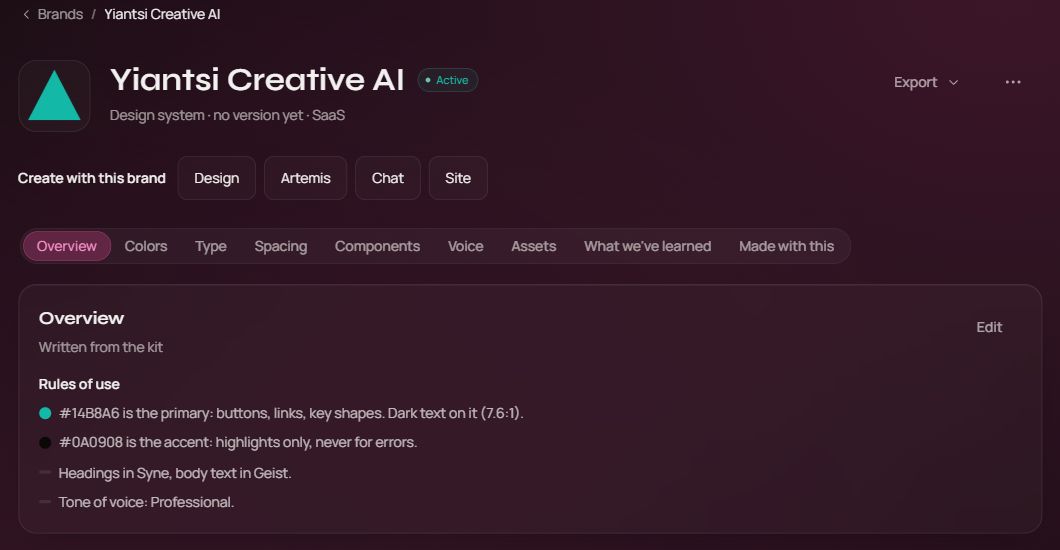
Real interface · 15 Oct 2026 · English UIThe actual brand kit and its app links. The check continued into Design. Open capture at full size ↗ Keep the rules within reach.
Design showed the same brand’s logo, colours and typefaces. The shared source reduces asset hunting; it does not mean every object is styled automatically.
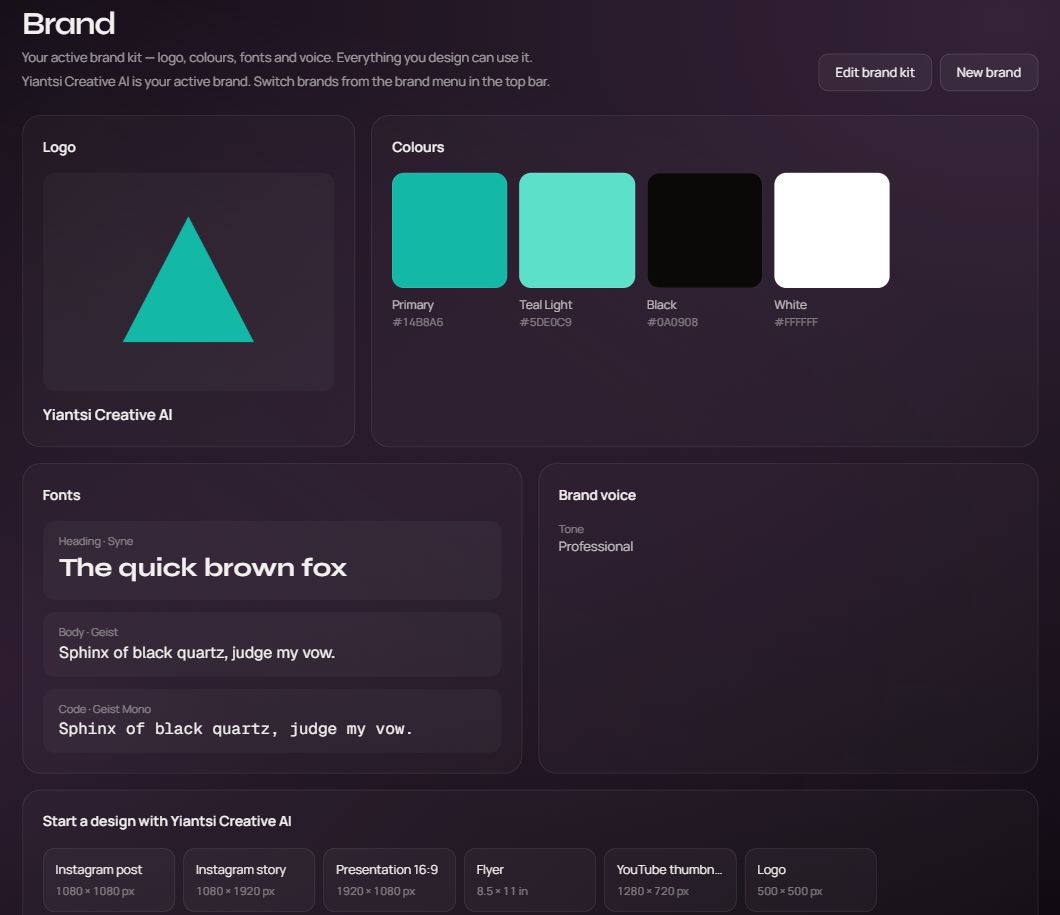
Real interface · 15 Oct 2026 · English UIThe brand page inside Design, with its palette and typefaces. Open capture at full size ↗ Keep composition editable.
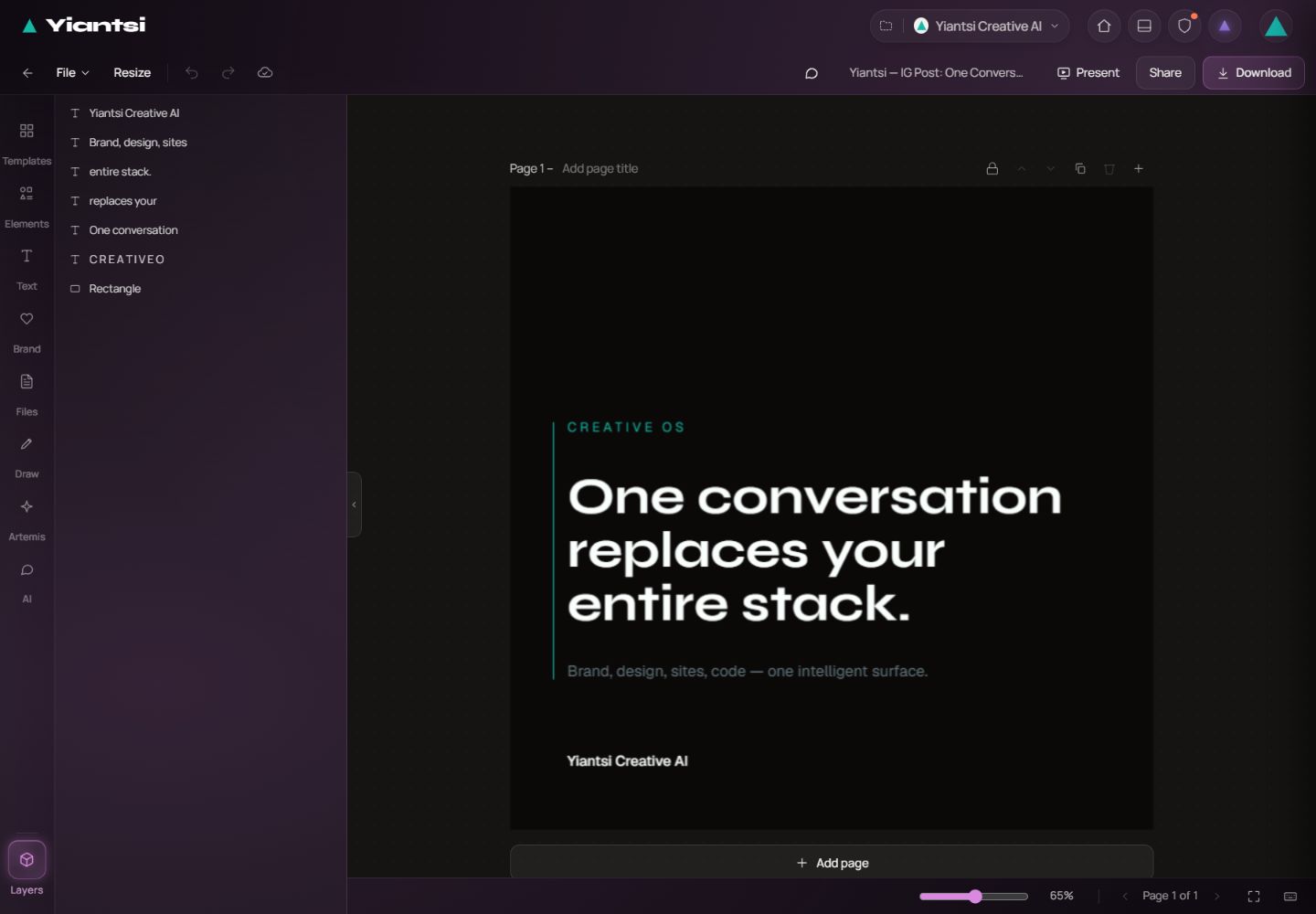
The 1080 × 1080 post combines a logo and two text objects. The heading uses Syne and the smaller text uses Geist. I chose direct editing so position, size and hierarchy could be adjusted separately.
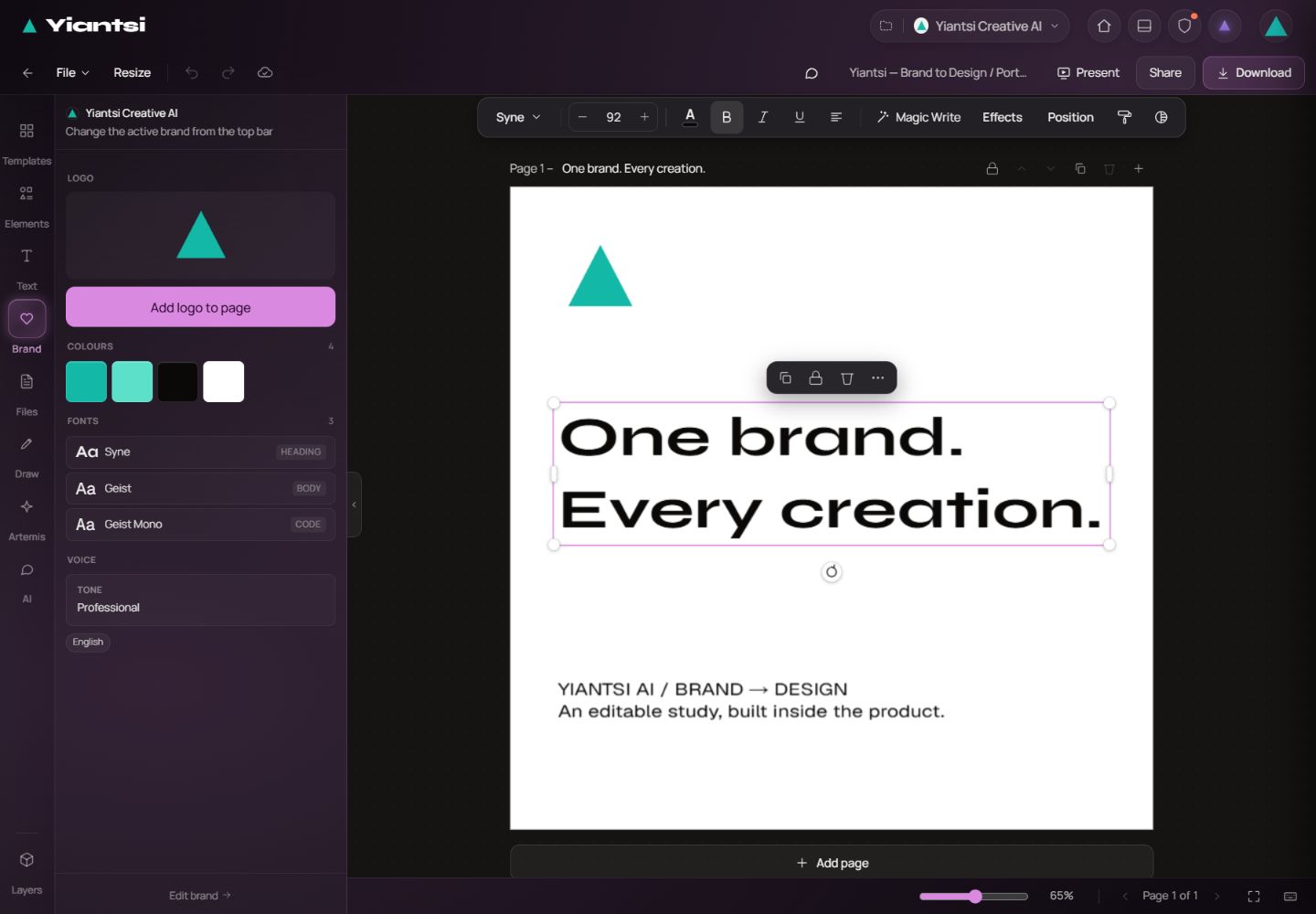
Real interface · 15 Oct 2026 · English UIActual editing: the selected heading, Syne typeface and the open brand panel. Open capture at full size ↗ Saving must support returning.
The design was found again in the brand library. Reopening and a full reload retained its title, three layers and typeface settings. A real PNG was then downloaded.
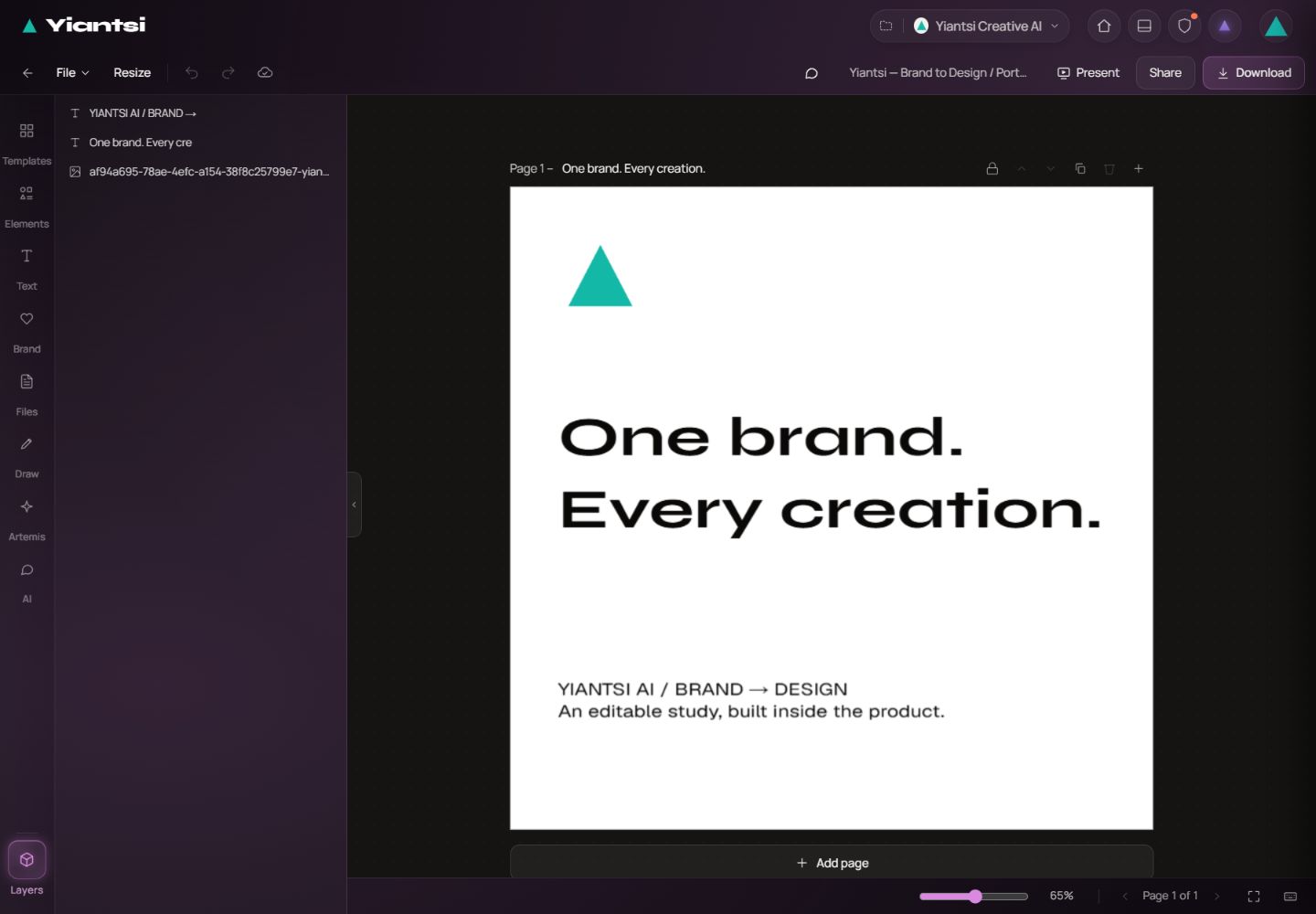
Real interface · 15 Oct 2026 · English UIThe saved design after returning, with its three editable layers visible. Open capture at full size ↗
The file that came
out of the product.
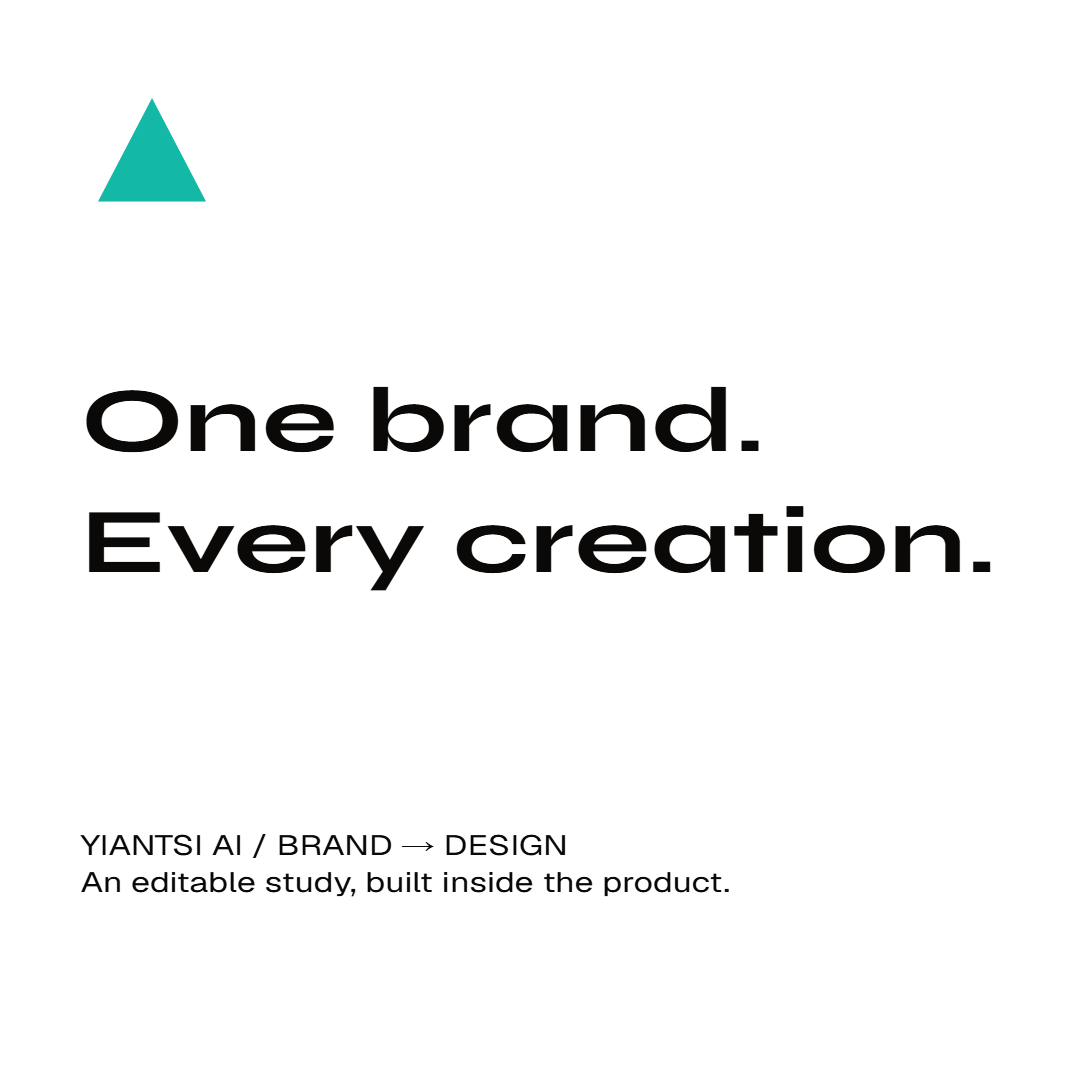
This is the PNG downloaded from Design, without external reconstruction or correction. The displayed export is 1080 × 1080.
What the check revealed.
Works in this journey
Brand entry, composition with layers, saving, reopening and file download. This is a specific check rather than certification of the whole platform.
An inconsistency surfaced
The initial export and the export after reopening rendered the smaller text differently. Two consecutive exports after reopening were pixel-identical. The cause of the initial difference has not been confirmed.
The next decision
Before treating export as complete, typeface rendering needs checking from the editor through to the file. Artemis generation and recovery from a newly triggered failure remain separate outstanding checks.
Create without
losing context.
The design starts with a small-brand founder, an independent creator or a small business that needs imagery, content and a digital presence. The aim is to carry the same intent between tools without rebuilding the context each time.
Understand the choices
Know what each tool needs and which setting affects the output.
Keep the brand consistent
Work with shared colours, reference material and direction instead of starting again each time.
Review before acting
See the settings and estimated cost before requesting content generation.
These are the project’s intended audience and design hypothesis, not findings from completed user research.
One intent.
A shared workspace.
We are designing Yiantsi AI as a creative workspace with continuity: conversation carries intent, apps provide the appropriate tools, and a project keeps the material and decisions together.
How does someone move from “I want to make something” to a result they can understand, edit and approve?
Start with the intention.
Conversation offers a familiar starting point for describing a goal before someone needs to understand every tool or model.
Continue in a focused workspace.
Each app has its own role: imagery and video in Artemis, composition in Design, pages in Sites, applications in Code and content planning in Workflows.
Keep context close.
Brand identity, files and the project form a shared foundation. The aim is to continue the same work with a clear connection to earlier choices.
- Brand identity
- Project
- Files
- History
- ArtemisImage & video
- DesignVisual composition
- SitesWebsites
- CodeApplications
- WorkflowsContent & planning
Result → edit → approve → continue
A diagram of the design direction. It does not certify that every connection between apps has been completed.
The choice and its cost.
A shared workspace reduces the need to rebuild context, but increases product complexity. Each tool therefore needs a clear role, a visible state and an understandable next step.
The principles
behind the screens.
These principles guide the product’s development. Each connects to an experience decision beyond the appearance of an individual screen.
Intent comes before settings.
People start with their idea. Technical choices sit close to the task that needs them, with clear labels.
In the design directionIn Artemis: the description and primary action keep a stable place.
Reveal complexity gradually.
Keep the main journey clear and make specialised settings available when they are needed.
In the design directionIn Artemis: one panel for settings that differ between models.
Keep creative work connected.
Brand identity, material and the project should remain recognisable between applications.
In the design directionIn the product structure: Brands, Projects, Files and History as shared reference points.
People understand and decide.
AI proposes and acts within clear boundaries. Cost, choices and public-facing actions need visible user control.
In the design directionIn the experience: an estimate before generation and approval before publishing.
One visual language, clear roles.
Shared typography, repeatable controls and a distinct colour for each app help orientation. Visual treatment follows the meaning of an action.
In the design directionIn the design system: shared buttons, cards and navigation instead of separate rules for every screen.
State is part of the design.
Design for waiting, empty content, limits and errors so people can understand what is happening and what to do next.
In the design directionIn Artemis: feedback near the relevant choice and visible warnings for incompatible settings.
How we develop
the application.
The work moves in iterations: define a problem, explore alternatives, implement and return to evaluation. AI assists production; choosing the direction and evaluating it remain my responsibility.
Define the need.
Who is trying to do what, with which context and obstacle?
Compare alternatives.
Explore flows and layouts alongside what each gains and gives up.
Implement the direction.
Carry the decision into the real interface and shared product elements.
Check and refine.
Revisit behaviour, language and layout. Evaluation with users remains a next step.
The Artemis study below is one specific example of this approach. Principles describe the direction; the evidence section separately records what has been confirmed.
One project.
End-to-end responsibility.
I took individual responsibility for the idea, product structure, experience design and implementation. Decisions about hierarchy, flows and visual treatment went through my own choices and iterations.
- Product direction
- Define the applications and how they connect around creative work.
- Design decisions
- Explore layout alternatives, choose a direction and refine screens and controls.
- AI-assisted implementation
- Use AI to produce code and visual material, with my own direction and evaluation.
AI is part of the working method. My contribution is demonstrated through decisions, corrections and checks, without implying that every line of code or image was made by hand.
A stable place
for every control.
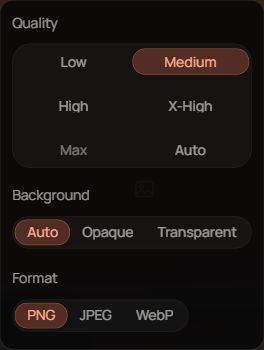
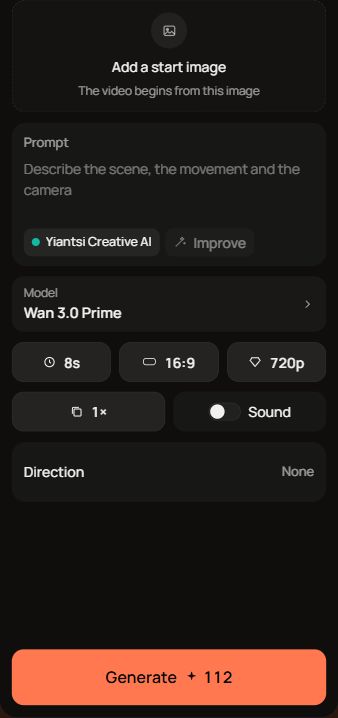
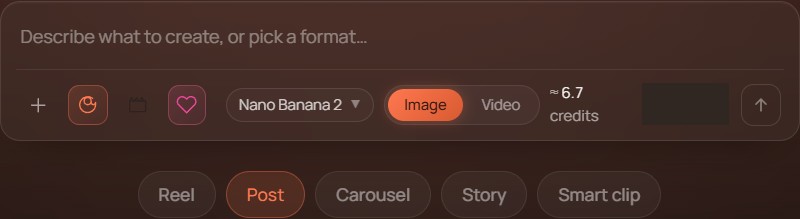
In the previous layout, each image model brought different settings into the same row. Widths changed, some controls wrapped onto another line, and people had to find the controls again.
The observation that changed the layout.
Change to a model with different settings, and everything moves.
This was my own observation while using Artemis, recorded in the composer study. It is not presented as a user-research finding. The issue was predictability: choosing a model meant having to locate the next controls again.
The problem in today’s interface.
On 15 October we inspected the actual app in English, at 1440 × 1000. The published image layout still changes with the model. These are two states of the same version, not a before-and-after comparison of the fix.


What the check established
Switching FLUX → GPT Image moved the description field up by 77 pixels. Returning to FLUX restored its original position. This establishes the problem under this condition, not an improvement after the fix.
The new direction exists in the inspected development source. Today’s app capture still shows the earlier layout. Source implementation is not presented as proof that the change has been published.
An actual failure that was already there.
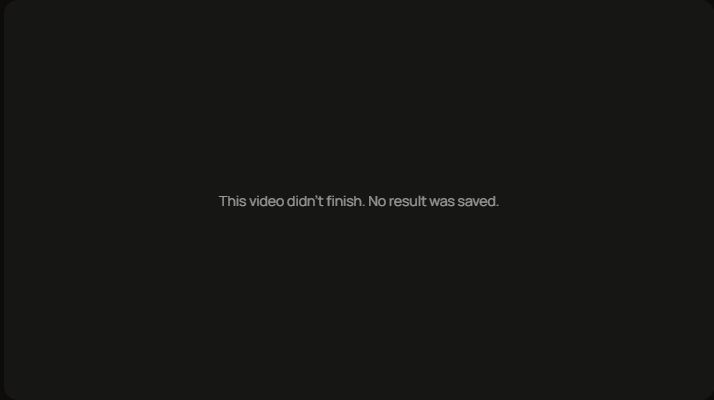
The screen states what happened but does not explain the cause or next step here. This creates a concrete design follow-up: clear status and understandable recovery without promising success.
Earlier capture of the creation field
The problem
The chosen direction
Keep differences in one place.
I chose one Options panel for settings that vary between models. The alternative placed each setting in the main row.
Less frequent settings take an extra step to open, while the main layout remains predictable.
Give cost its own place.
The estimate sits below the generation action rather than competing with the button label on the same line.
The button uses more vertical space, but the cost and the Greek label do not need to be squeezed together.
Keep feedback close to its cause.
Reference-image limits and incompatible choices are addressed near the relevant settings. The absence of an active brand remains visible.
The layout reserves space for empty states too, helping the following controls stay in place.
Two different needs.
Two different choices.
I compared alternatives for image and video. I did not impose the same layout on both: the material and the way it is configured called for different solutions.
A · One shared options panel
Settings that vary by model sit behind Options. Model, count, brand and the primary action keep their role in the main row.
B · A separate slot for every setting
More settings are immediately visible, but the main row needs more space for models with different capabilities.
I chose A for a more stable primary journey, accepting an extra step to open specialised settings.
B · Separate, stable material slots
A start image has its own slot; reference images have a separate strip below the description. Switching models does not insert material above the field.
A · One image slot with a mode switch
A shared slot with a role switch is more compact but combines different uses of material in one place.
I chose B to keep the roles of the material clear. In a short window, the column scrolls as one piece.
From description to review.
The journey is organised around what people need to understand before spending resources and after receiving an output. This is an evaluation scenario, not a record of completed generation.
Intent
Describe the desired material and choose the appropriate brand.
Configuration
Choose a model and check supported images and settings.
Decision
Review cost and warnings before requesting generation.
Continuation
Evaluate the result, refine it or find it again for the next task.
The difficult moment is part of the experience.
We do not fabricate a successful scenario for every case. Incompatible choices, failure and waiting have different causes and need different guidance.
Incompatible material
Explain which choice prevents progress, close to its cause. A warning is not a generation result.
Waiting or failure
Make it clear whether work is continuing or has stopped and what the next safe step is. Current behaviour requires a separate test.
An inadequate result
Provide an understandable route back to refinement. A person remains responsible for judging output quality.
What this decision demonstrates.
Simplification here is more than having fewer controls. It gives the main task a stable place while keeping differences accessible. The same principle produced different layouts for image and video because their needs were different.
The evidenced progress is a chosen direction carried into implementation. No measured reduction in time or errors is claimed yet: evaluation with the intended audience is still required.
The same thinking.
Across the product.
Artemis is one of the surfaces I designed. The wider work includes conversation, brand identity, creation tools, organising material and the shared rules connecting them.
The chapters distinguish recorded decisions from design direction. Each chapter includes real captures from 15 October. They show the current app, which continues to evolve.
ChatIntent has a starting point. The model has a name.
- The need
- People need to describe what they want before learning the structure of an entire platform.
- The decision / direction
- Conversation is the starting point of the experience. Transparent model identity is a separate recorded decision: Yiantsi configures context and tools without presenting third-party models as its own.
- The trade-off
- A simple starting point is not enough for detailed work. The experience needs a clear transition into the appropriate tool and honesty about what an assistant knows and can do.
- The evidence
- The identity policy distinguishes a selected model from what is verified about actual execution. A complete conversational journey across apps is not certified here.

BrandsInspect a brand without changing the active one.
- The need
- Browsing a library should not silently change the identity other apps use.
- The decision / direction
- I chose to separate previewing from opening a kit. A click pins the brand in the large card; “Open kit” leads into editing. Kit groups are organised in a list on the left.
- The trade-off
- Opening the kit takes an explicit extra step, while browsing need not become a change to the working context.
- The evidence
- These choices are recorded in the library and inner-screen decisions. Separating a preview from the active brand is part of the design rationale.
DesignGenerated material needs room for editing.
- The need
- The first output is not always the final one. Creation needs space for composition, text and corrections.
- The decision / direction
- Design’s direction is a visible canvas with layers and editing controls. Conversation communicates intent; direct manipulation provides precision in composition.
- The trade-off
- A canvas requires more familiarity than a description field. The two modes need to connect without replacing each other.
- The evidence
- The real capture shows an existing saved Yiantsi design and its layers. Opening the work and the layers panel was observed. The separate Brands → Design journey at the start adds a new post, saving, reopening and an actual PNG, together with the export inconsistency found during the check.
Sites / CodeSee what is being built before sharing it.
- The need
- Generating a page or application needs an understandable way to inspect the result beyond an assistant reply.
- The decision / direction
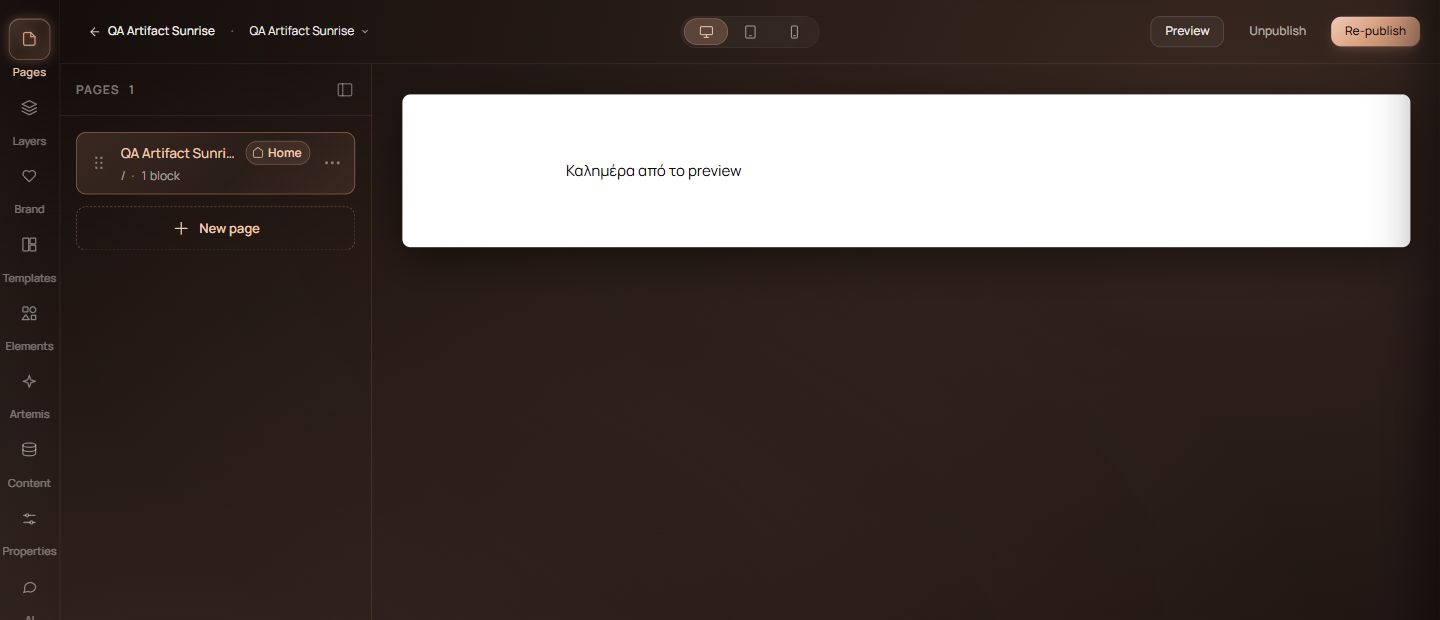
- The design direction connects a description to a visible preview and iterative corrections. Publishing in Sites is a separate action; a Code preview alone is not proof of a completed application.
- The trade-off
- Immediate visual feedback helps evaluation but does not prove every feature, saved change or public route works. Those require their own checks.
- The evidence
- The Sites editor was opened on an existing Yiantsi test project. Code was limited to its empty description field. No new generation, application execution or publication was performed.

WorkflowsAutomation needs visible responsibility.
- The need
- People need to understand which brand an action concerns and which work needs their attention.
- The decision / direction
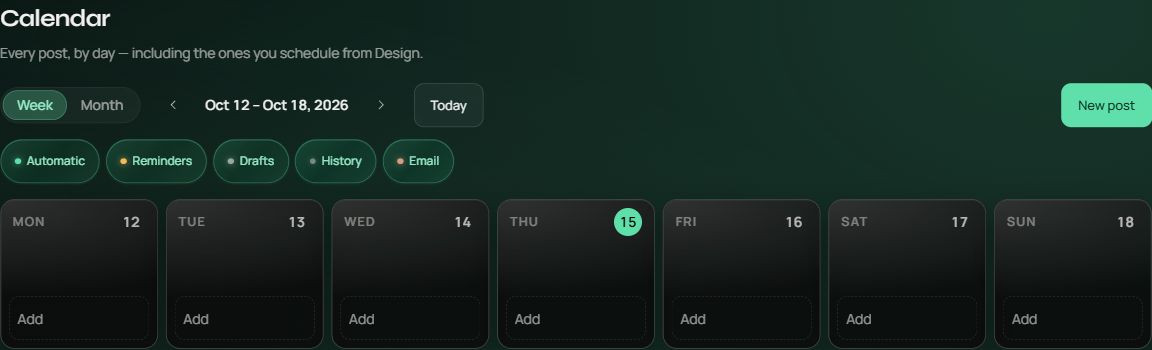
- The recorded design ties adding an account from the Workflows home to the active brand and explicitly identifies it. The calendar, drafts and items needing attention have different roles.
- The trade-off
- Review adds steps but makes the working identity clearer. An automation should not appear available simply because its card exists.
- The evidence
- The active-brand choice is recorded. Capabilities labelled “Soon” in the public presentation remain future capabilities until verified separately.
Projects / Files / HistoryThree different ways to find work again.
- The need
- Organising a project, finding a file and returning to an earlier action are different needs.
- The decision / direction
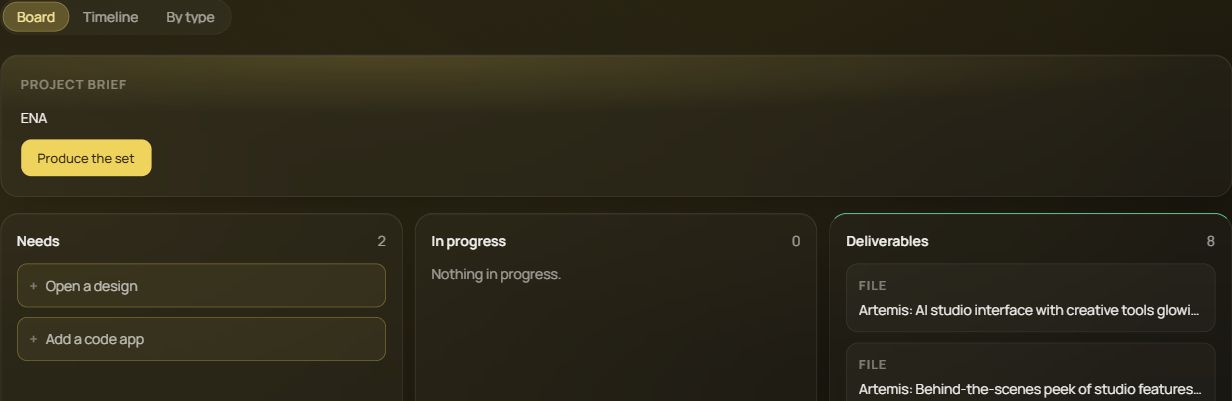
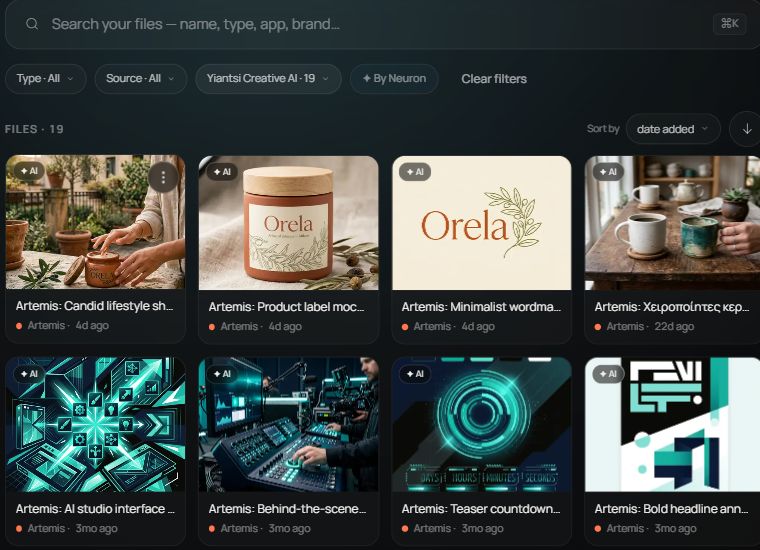
- Projects organise work by project, Files organise material and History preserves its sequence. In Files, I chose a click for details and a double click to open. Emptying the trash permanently requires a two-step confirmation.
- The trade-off
- Separate surfaces add navigation. They need clear names and stable ways back. The extra deletion step is deliberate because the action cannot be undone.
- The evidence
- These choices are recorded in the approved app decisions. A visible screen alone does not prove saving, restoration or permanent deletion.

One change.
A consistent experience.
As the product grew, the same elements acquired different versions. I chose one shared button, one shared card family and common rules for selections and sidebars. The aim is for a correction to reach every app while retaining each app’s role.
Consistency with a purpose
The same kind of action is recognisable across apps, rather than each app inventing its own control.
Language shapes layout
Greek and English labels are considered inside actual controls, beyond translating the words.
Consistency needs verification
Shared forms are rolled out in stages. A component gallery does not establish that every screen uses them.
My contribution lies in connecting these decisions: what becomes simpler, what stays visible and where people retain control. AI assisted exploration and implementation; the record distinguishes a proposal, my choice and verification.
Where the work stands.
The interfaces are still being developed. We distinguish decisions that have been implemented from behaviour that still needs verification in the current application.
- Real Brands → Design journey
- A three-layer test post was created. Returning from the brand library, typeface settings after a full reload and a 1080 × 1080 PNG download were verified. The type-rendering difference between the initial and later export remains an open finding.
- Current real interfaces
- Captured from the signed-in app on 15 October: Artemis, Chat, Brands, Design, Sites, Code, Workflows, Projects, Files and the History entry point. Captures show particular surfaces, not verification of every capability.
- Problem verified in today’s app
- In Artemis, switching FLUX → GPT Image moved the description field up by 77 pixels in English at 1440 × 1000. Returning to FLUX restored the original position.
- Implemented in the development version
- The new stable slots and shared options panel were inspected in source code. Today’s published interface still shows the previous layout. Source presence is not confirmed deployment.
- Earlier real interface
- Older Artemis captures retain their own labels. They are distinguished from the 15 October captures and from final interfaces.
- Verification pending
- The new layout in an available test deployment, Artemis generation through to a saved result and recovery from a newly triggered failure. No generation, message sending or publishing was performed for this study.
- Next evaluation step
- Test with the intended audience. No measured improvement or validated user outcomes are claimed yet.
This section draws on recorded decisions, source inspection and a new check of the current app. Checks of the portfolio page itself are separate from checks of the product’s behaviour.
Public presentation and product history
From one sentence
to a complete world.
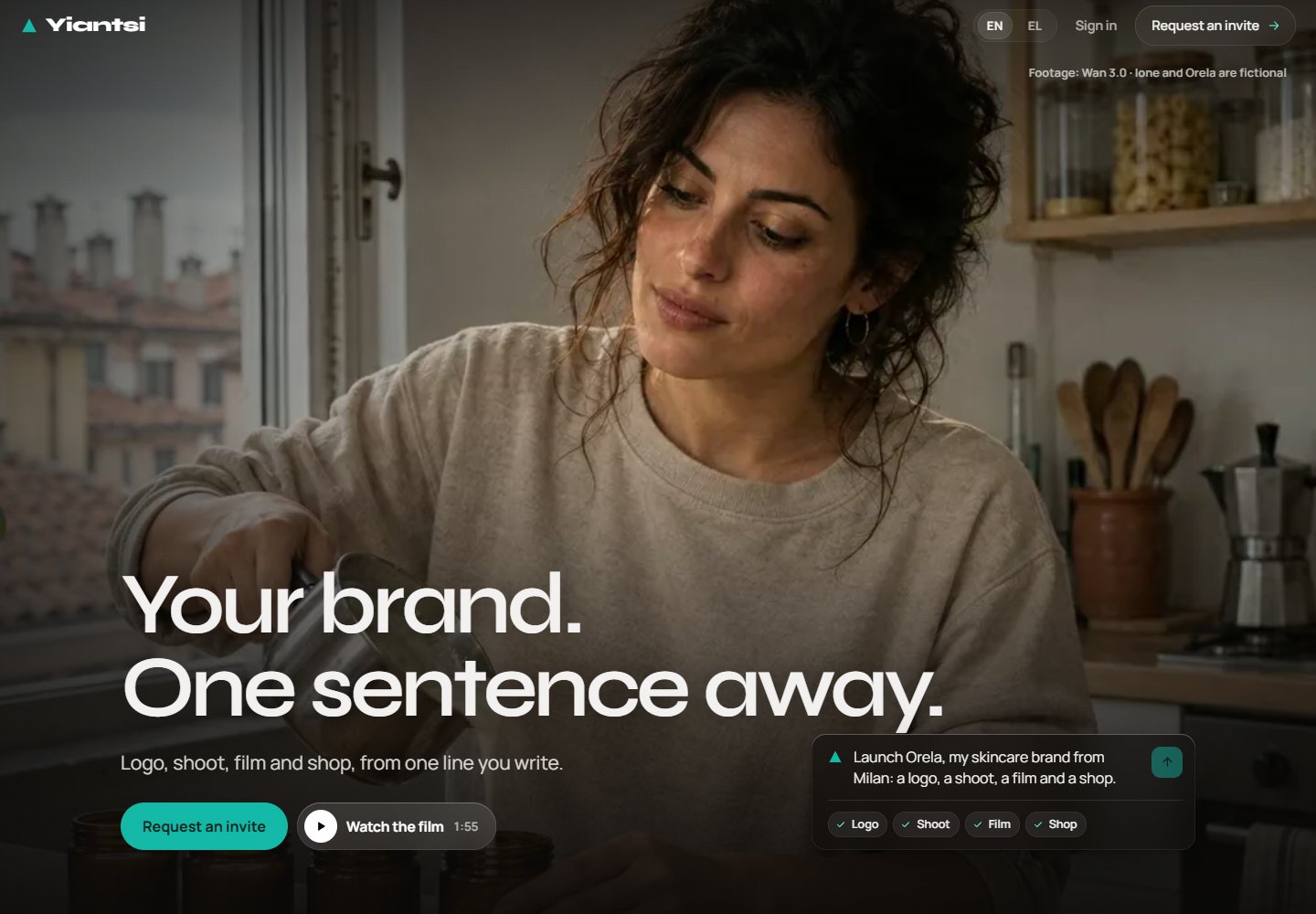
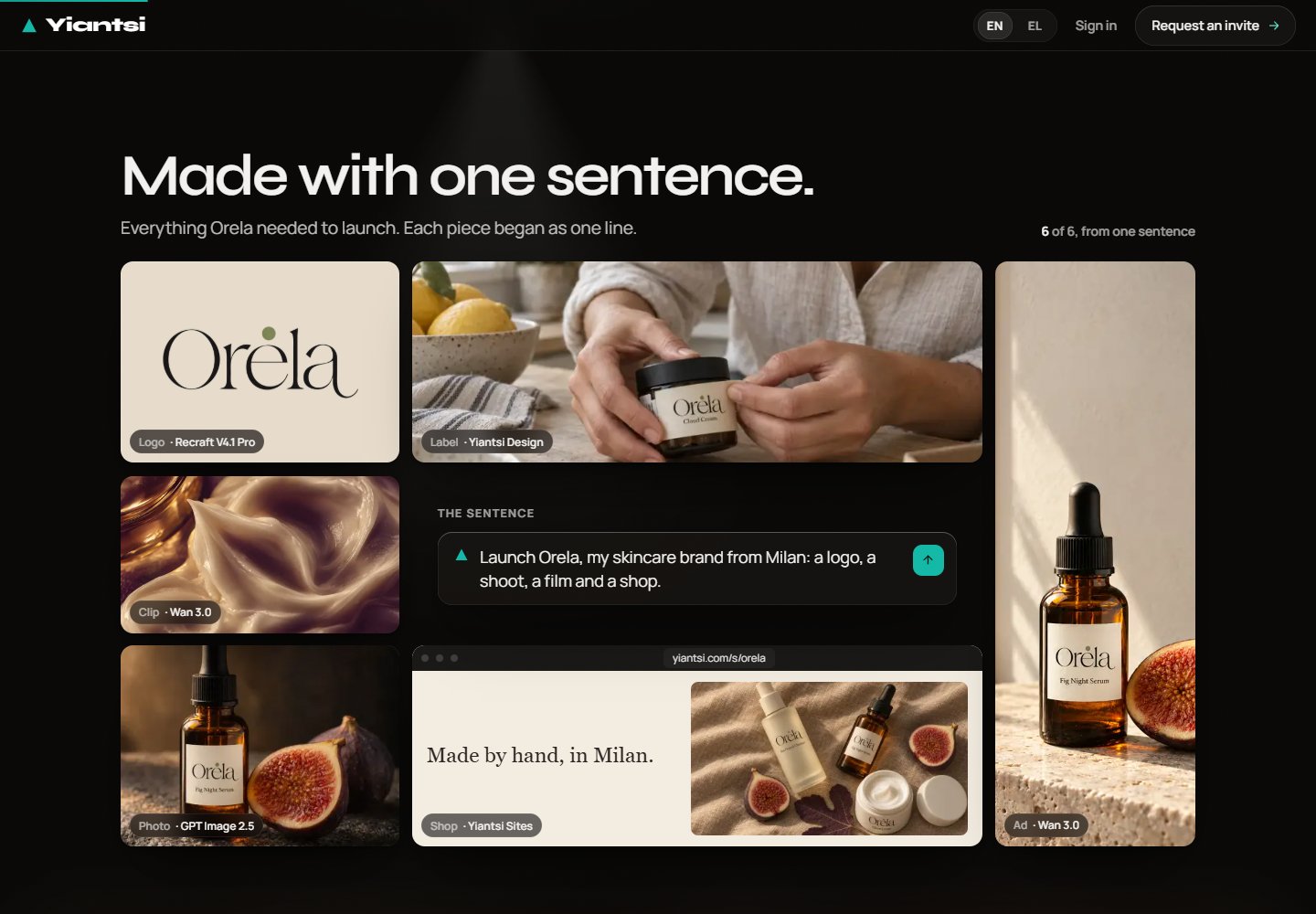
Orela, a fictional skincare brand from Milan, is the example at the heart of the new presentation. Identity, product photography, video, a shop and a routine app illustrate the journey from an idea to different creative outputs.
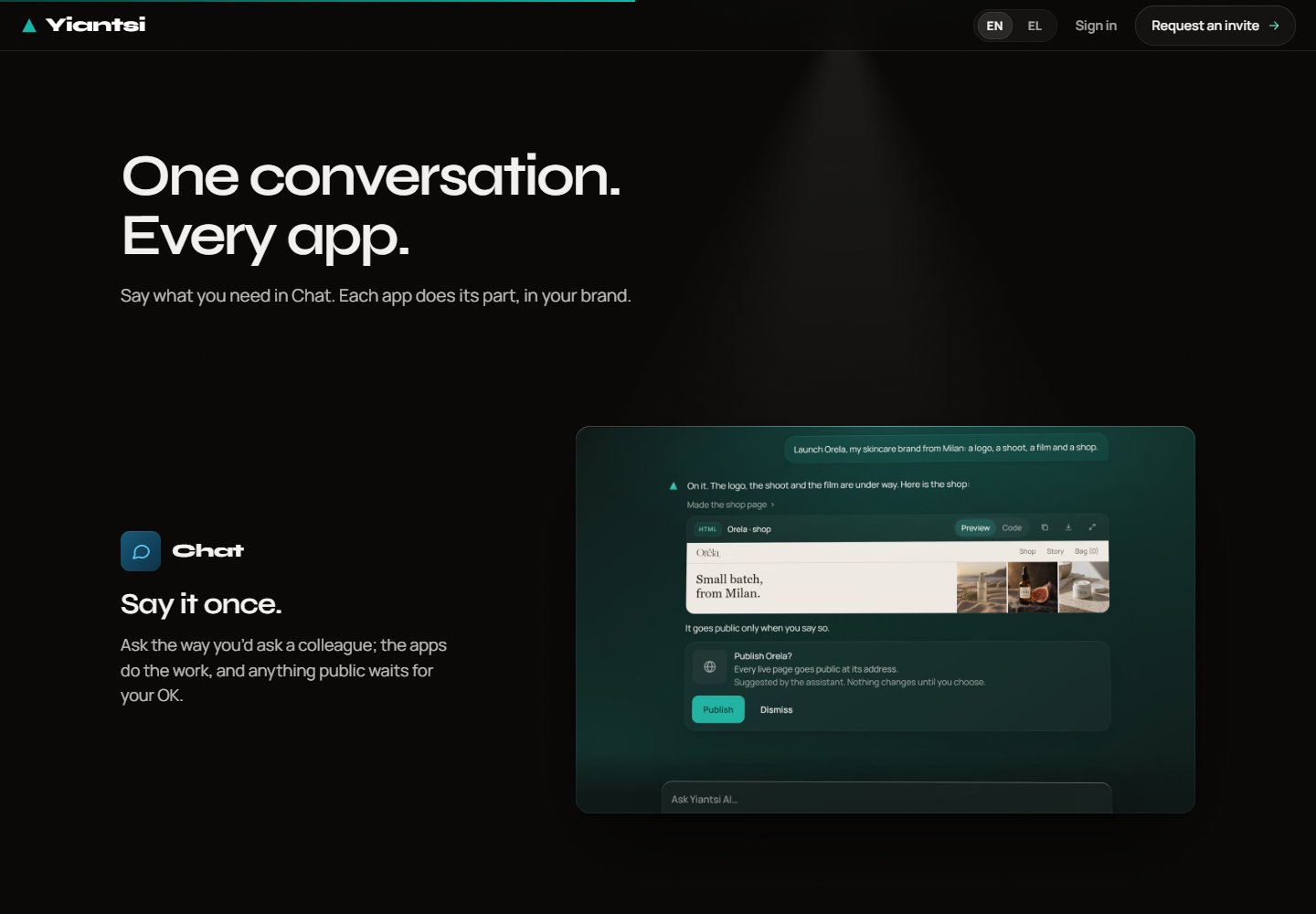
One conversation.
A shared identity.
Chat, Artemis, Sites, Design, Code, Workflows and Brands organise different tasks around the same creative intent. The new presentation explains each app’s role and distinguishes features that are still in preparation.
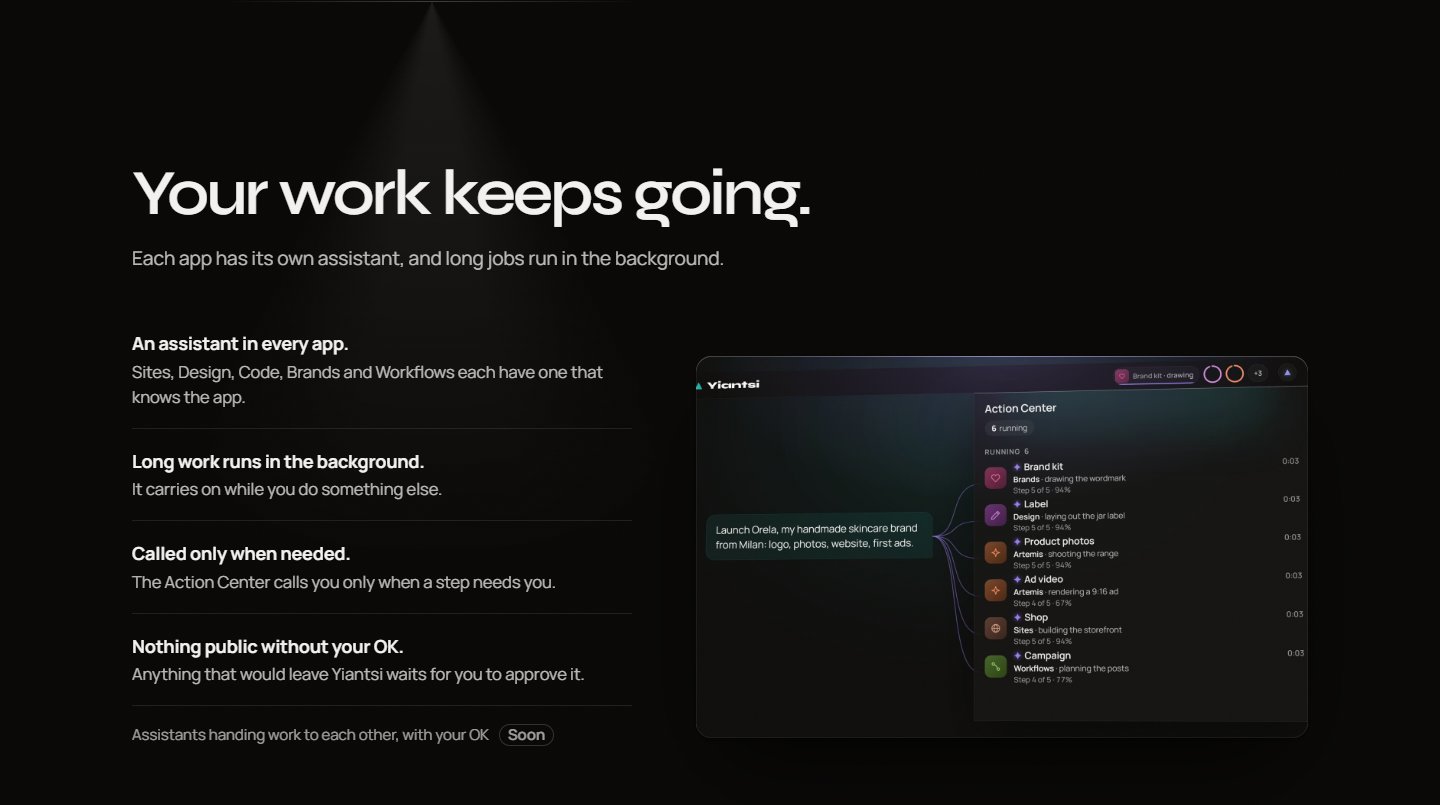
Work that continues.
Control at key moments.
The public presentation describes assistants inside apps, long tasks that continue in the background and notifications when intervention is needed. Approval before a public action becomes part of the experience.
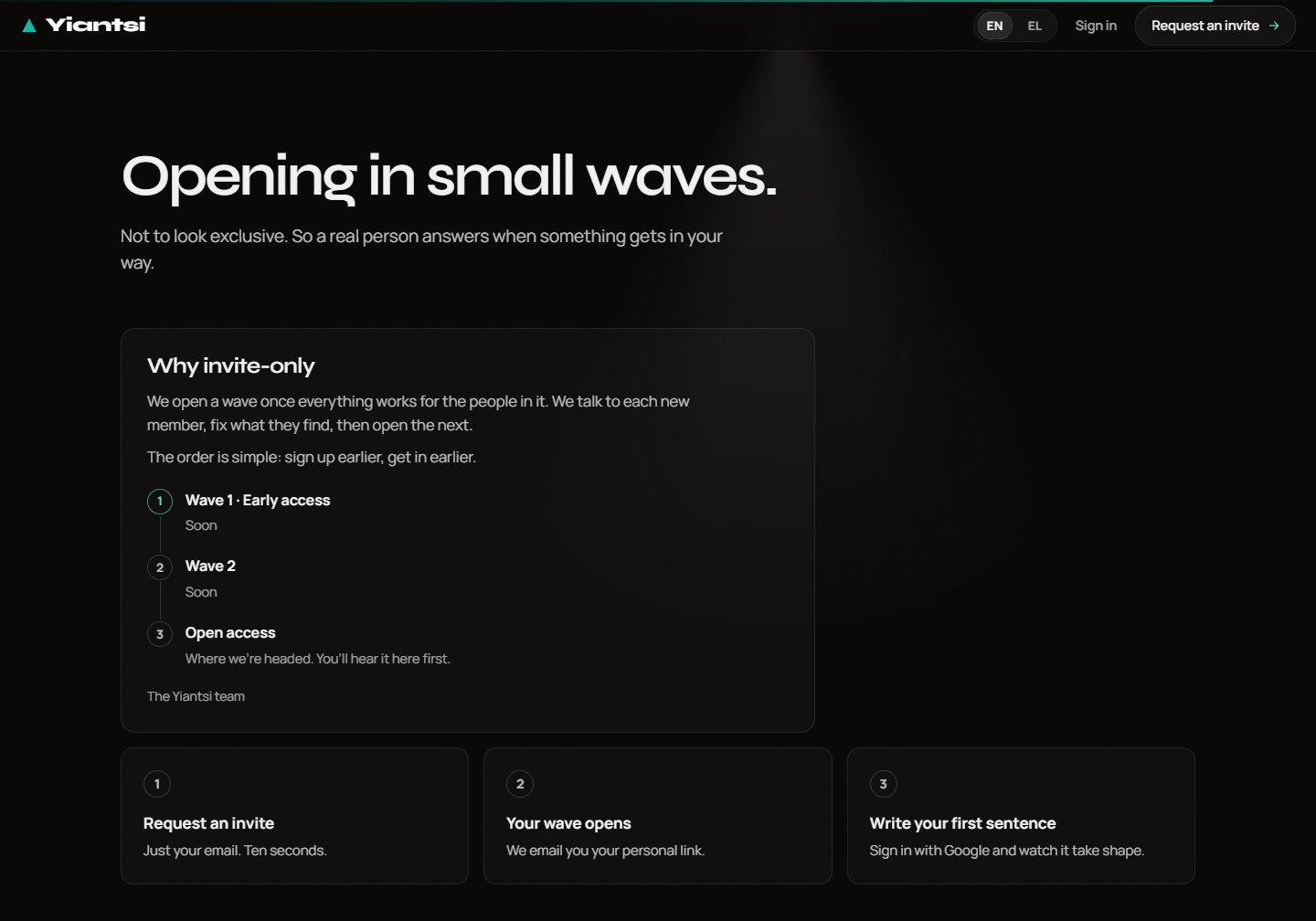
Access in waves.
A clear invitation.
The new homepage accepts invitation requests. Access opens gradually, with a personal link when it is someone’s turn. The free invitation refers to requesting access, not a promise that every tool is free to use.
How the application evolved.
The following image was captured at an earlier stage of Artemis. It remains part of the design history, rather than a view of today’s interface. The earlier creation field appears in the study above.
Public screenshots show yiantsi.com on 14 October 2026. Orela is a fictional example. Features marked “Soon” are not presented as available.
Technology as a
creative connection.
Creative shapes ideas and digital experiences. Design works with materials and space. Yiantsi AI connects creative intent to the tools that develop it.
Request an invite